Your phone, for what matters.
Onsa is an Android launcher that puts today’s priority on your home screen. Each time you open a distracting app, Onsa asks first: what for?
Get it free on Google PlayFor Android 7 or newer. No ads, and your data stays on your phone.
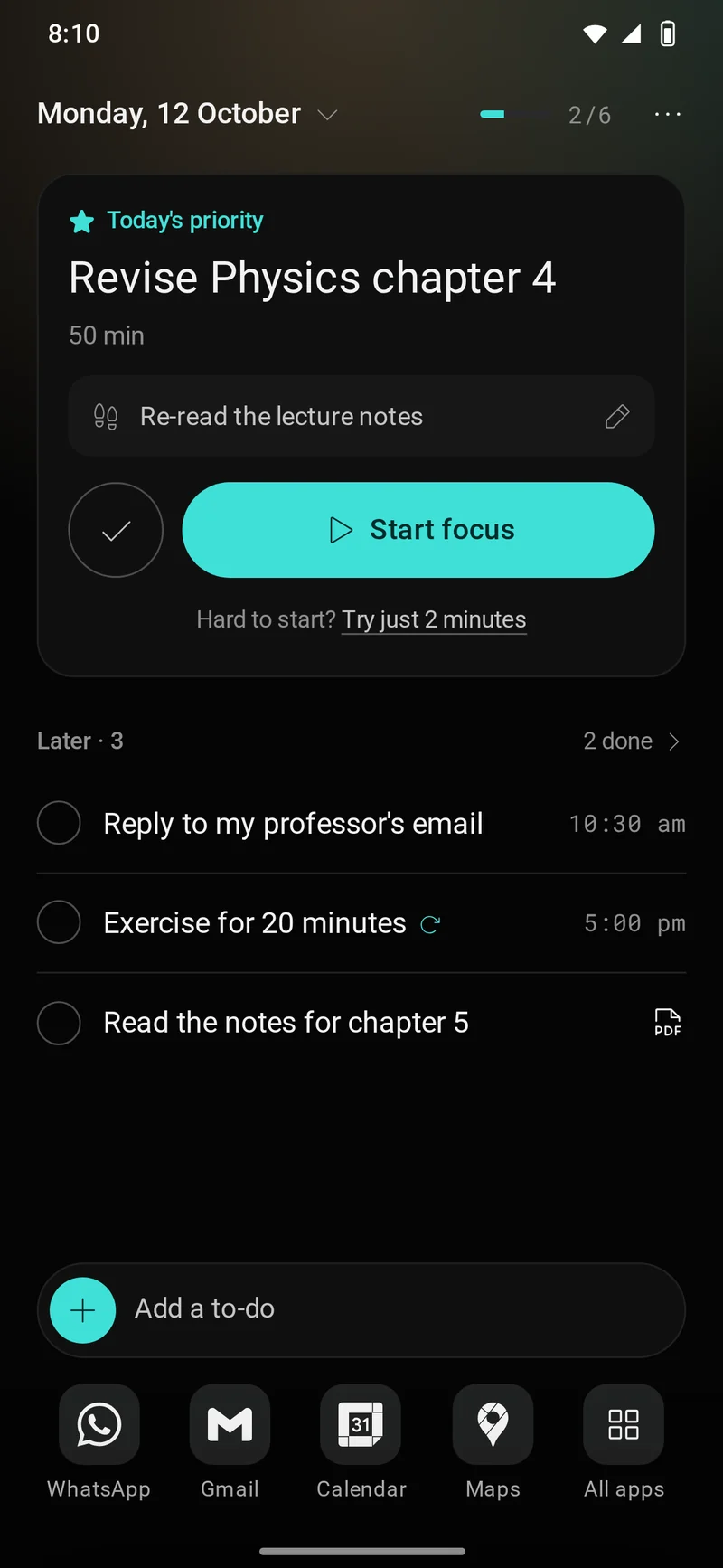
Just checking one notification. An hour later, still scrolling.
Onsa is made for that moment. Each time you open a distracting app, it pauses for a few seconds and asks: what for? You can still open it, as long as you mean to.
Try it yourself: open one of these apps, the way you do on autopilot.
A day with Onsa.
-
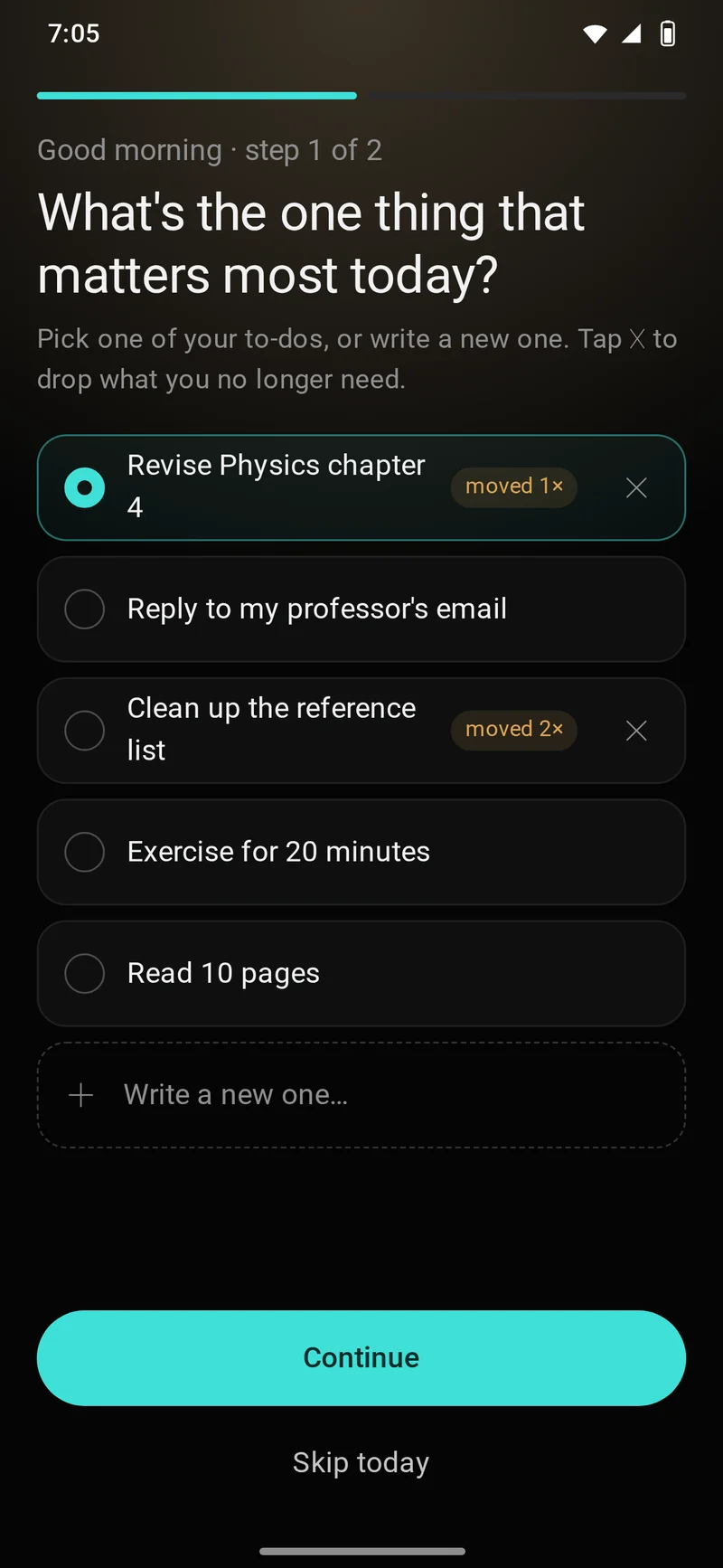
Start the day with one priority.
The first time you open your phone in the morning, Onsa asks: what’s the one thing that matters most today, and what’s the first step? Yesterday’s unfinished to-dos can come along, or go.
-
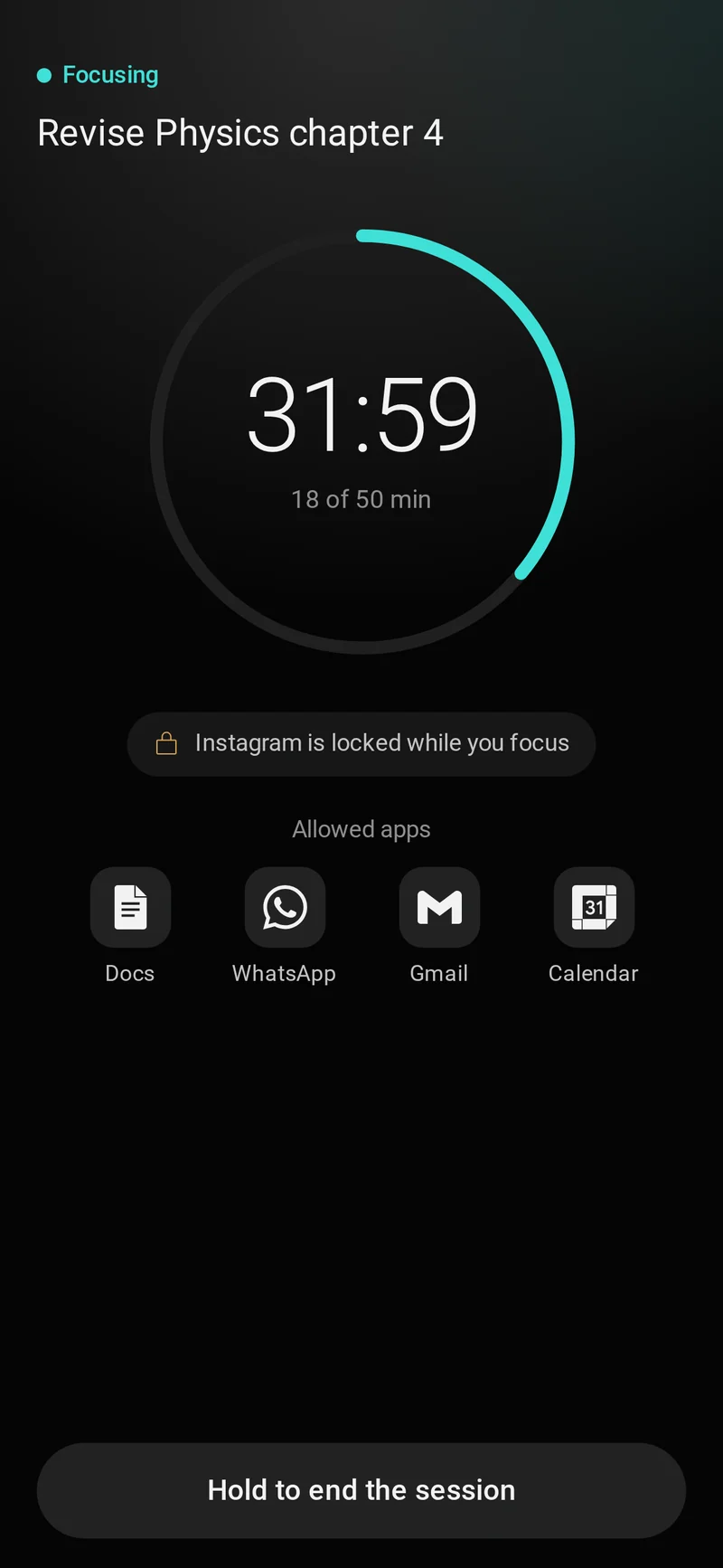
Focus without distractions.
Start a focus session from your home screen. While it runs, distracting apps are locked; you can only open the apps you allow, or the PDF you’re reading for that to-do. Want to stop halfway? Hold the button for 10 seconds.
-
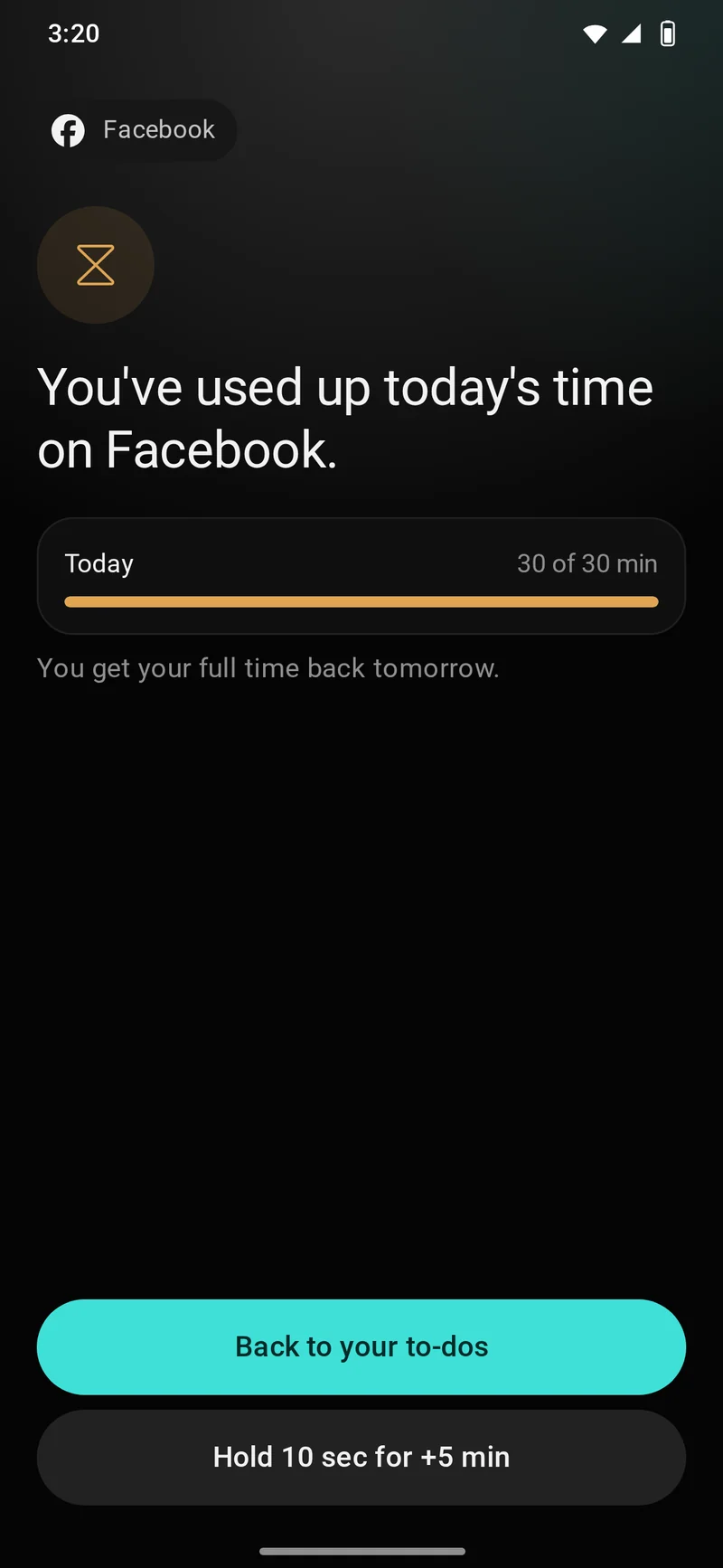
A daily limit you actually keep.
Choose how many minutes a day you get for distracting apps. When the time’s up, Onsa brings you back to your to-dos. Still need a moment? Hold for 10 seconds to get 5 more minutes.
-
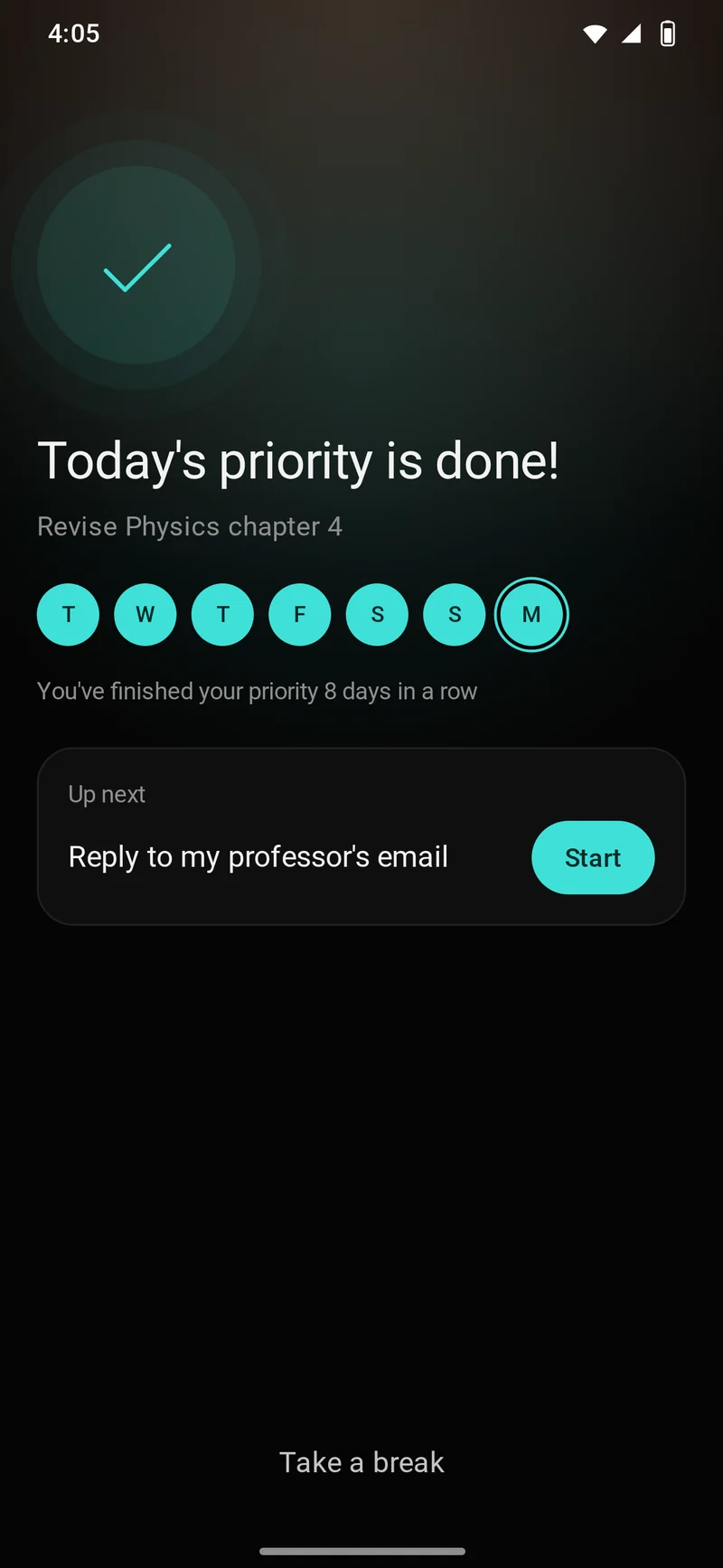
One priority done. It feels different.
Your streak grows, and your next to-do is already waiting. Or take a break: the most important thing today is done.
-
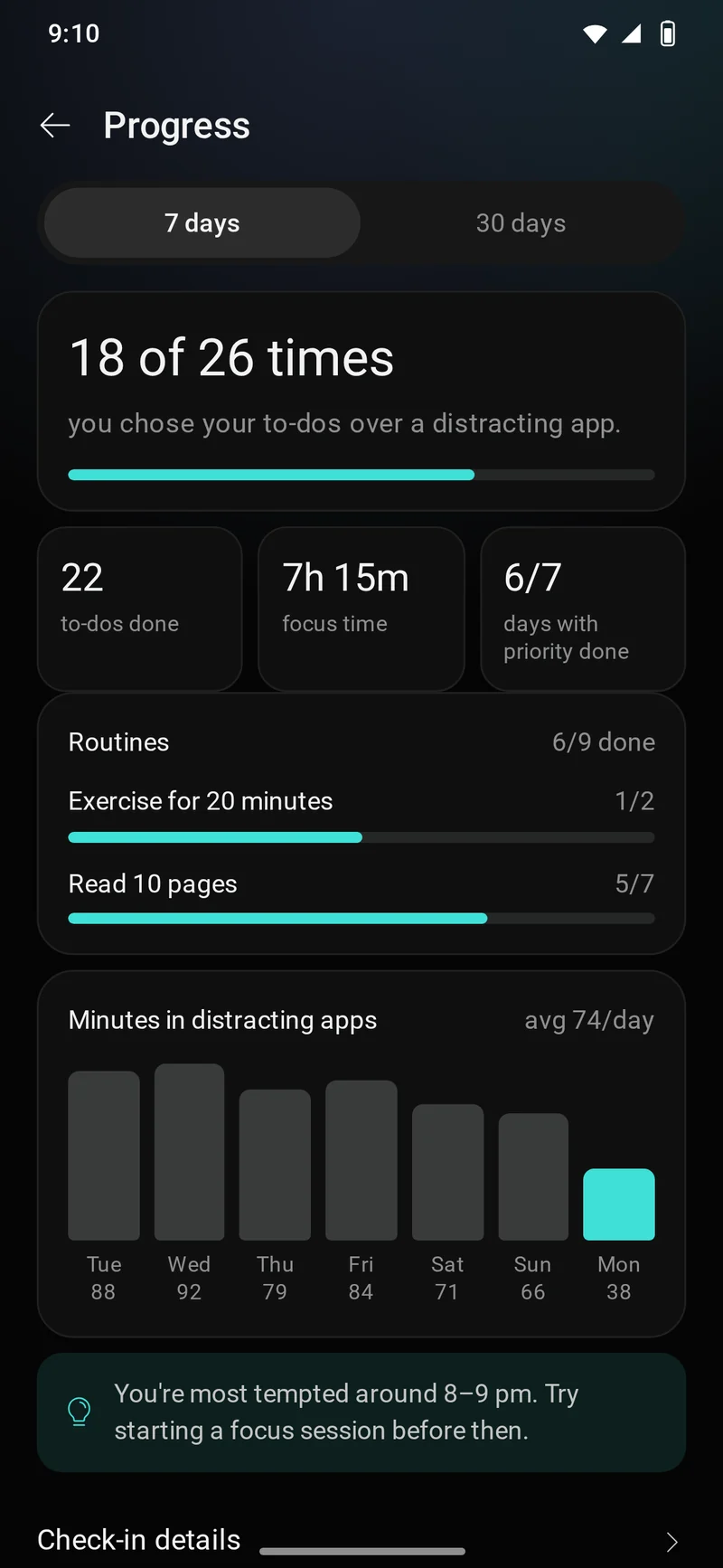
Count your small wins.
Progress shows how often you chose to go back to your to-do, how long you focused, and what time of day you’re most tempted.
Ready in three steps.
-
Pick the apps that make you lose track of time.
Onsa checks in each time you open one. You can still use them.
-
Allow two permissions.
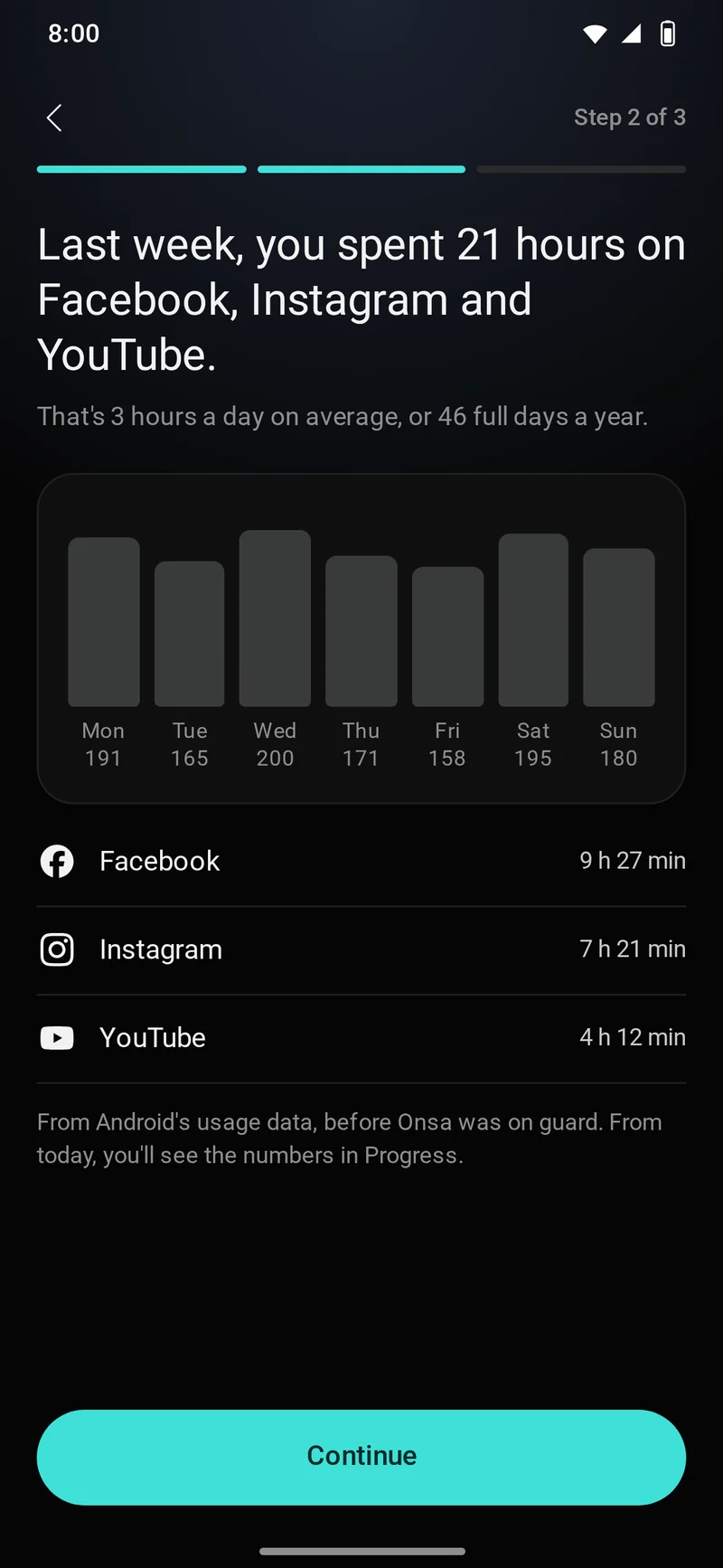
Usage access and display over other apps, so the check-in shows up the moment you open one of those apps. Onsa only sees the app’s name, not what’s in it. Then it shows you how many hours went there last week.
-
Write down one thing you want to finish today.
That’s what Onsa reminds you of when you’re tempted to open those apps.
Your data stays on your phone.
Your to-dos, check-ins, and progress are stored on your phone only. Onsa has no server to keep them on, so there’s nothing for us to see, let alone sell.
- No account. No sign-up, email, or phone number needed.
- No ads, no trackers. Onsa is paid for by Onsa Plus, not by its users’ data.
- Payments through Google Play. Onsa only learns whether Plus is active, not your payment details.
Free to use every day.
Everything you’ve seen above is free. Onsa Plus lifts the limits, for when you want Onsa to be stricter.
| Feature | Free | Plus |
|---|---|---|
| Check-ins, focus sessions, daily limits, and the morning ritual | Included | Included |
| Distracting apps guarded | 3 apps | All |
| Lock distracting apps | Until the day is planned | Until the priority is done |
| Progress | 7 days | 30 days |
| Active routines | 3 | Unlimited |
| PDFs for focus sessions | 1 | Unlimited |
| Pause before check-in | Up to 20 seconds | Up to 60 seconds |
Onsa Plus
- Yearly 7 days free Free for the first 7 days, then billed once a year.
- Monthly Billed every month.
- Lifetime Pay once, and Plus is yours for good.
Prices appear in your local currency on Google Play, where you pay right in the app. You can cancel a subscription anytime in Google Play.
Common questions.
What’s a launcher?
A launcher is your home screen app: the one you see every time you press Home. Onsa replaces your phone’s home screen and helps you do what you planned. All your apps are still there, in an A–Z list you open from the home screen.
Does Onsa block Instagram or YouTube?
Not directly. Onsa asks first every time you open a distracting app, and you can still open it. Apps only lock during a focus session, when their daily limit runs out (30 minutes per app to start with; you can change it or turn it off), or if you turn on a lock in Settings.
What permissions does it need?
Two are required: usage access, so Onsa knows when a distracting app opens, and display over other apps, so the check-in can appear. Xiaomi, Redmi, and POCO phones need one more, for pop-up windows, and Onsa walks you through it step by step.
Others, like notifications for reminders, can be turned on later. Each permission is explained in the privacy policy.
Is my data sent to a server?
No. Onsa has no accounts and no servers; everything stays on your phone. Onsa Plus purchases are handled by Google Play, and Onsa only receives whether Plus is active.
Can I go back to my old launcher?
Yes, anytime. Open your phone’s Settings, find Default apps, and pick another home app. Menu names vary a little from phone to phone. If you uninstall Onsa, your phone goes back to its built-in launcher.
Is there an iPhone version?
No. Onsa is a launcher, and iPhones don’t let other apps replace the home screen.
How do I pay for Onsa Plus?
Through Google Play, right in the app. In India you can pay with UPI or a card; in the Philippines, with a card or prepaid load where your network supports it. Prices appear in your local currency.
What if I cancel my Plus subscription?
You can cancel anytime in Google Play, and Plus stays on until the end of the period you’ve paid for. The 7-day free trial on the yearly plan can be canceled before it ends, so you’re not charged. After that, your data stays; only the free version’s limits apply again.
Make Onsa your home screen.
Free on Google Play. No ads, and all your data stays on your phone.
Get it free on Google Play